

Audit Tools
Excel-based audit tools for cleaner workpapers, faster fieldwork, and clearer review.
Practical audit tools designed to standardize documentation, support control testing, improve workpaper consistency, and reduce manual setup across internal audit workflows.
Demo note: This project is for demonstration and discussion purposes only. It uses generalized, synthetic, or public data. No proprietary company data, confidential audit documentation, internal systems, or client information are included.
Tooling overview
Built around practical audit documentation needs.
Standardize documentation
Use repeatable templates, tickmarks, references, callouts, notes, and review elements to keep workpapers consistent.
Reduce manual setup
Replace repeated formatting and workpaper preparation steps with reusable Excel-based tools and templates.
Improve review clarity
Create documentation that is easier to navigate, review, support, and explain during audit supervision.
Flagship project
AuditTicks Pro
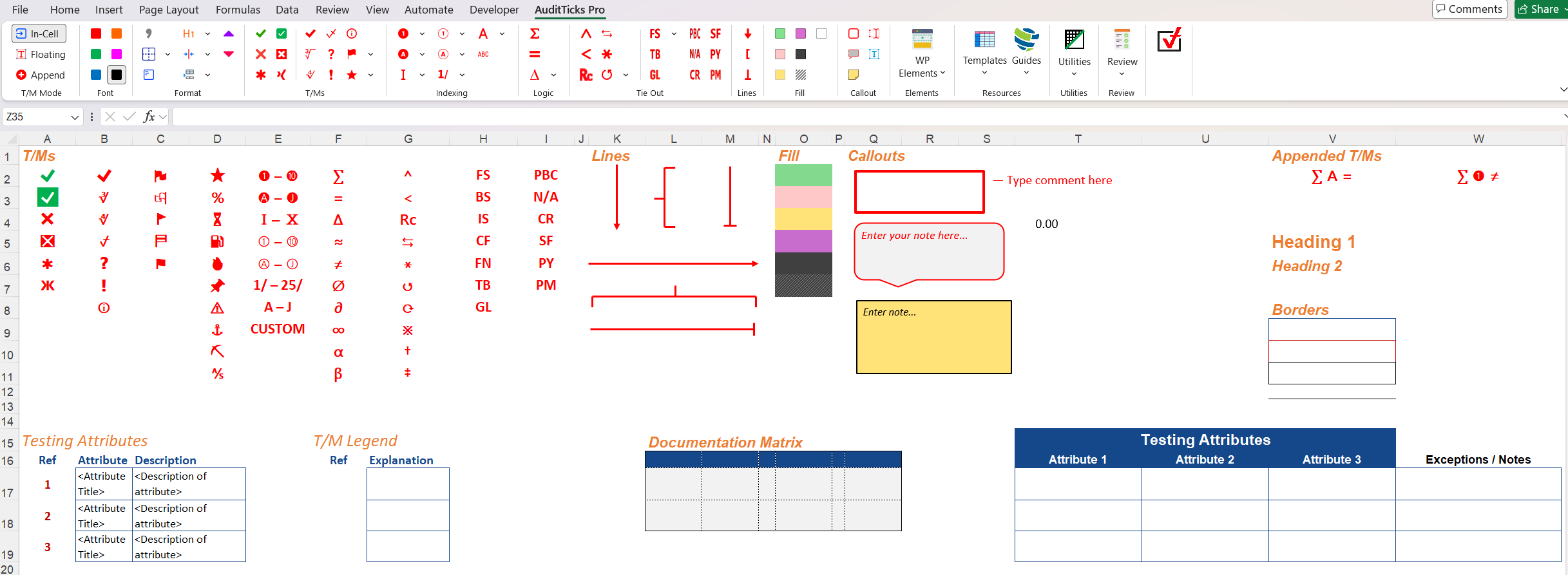
Custom Excel audit add-in for standardized tickmarks, workpaper formatting, references, annotations, templates, review tools, and audit documentation support.
Make audit workpapers faster, cleaner, and more consistent by standardizing common documentation actions from a dedicated Excel ribbon.
Audit documentation often becomes inconsistent when tickmarks, legends, references, formatting, annotations, and review notes are recreated manually.
Built a ribbon-based Excel add-in using VBA and custom Ribbon XML with one-click access to standardized audit documentation helpers.
Reduces manual formatting, improves workpaper consistency, accelerates documentation, and gives reviewers clearer navigation.
Status: In active development. The add-in is not publicly available yet, but this page shares screenshots, documentation, and future availability information.
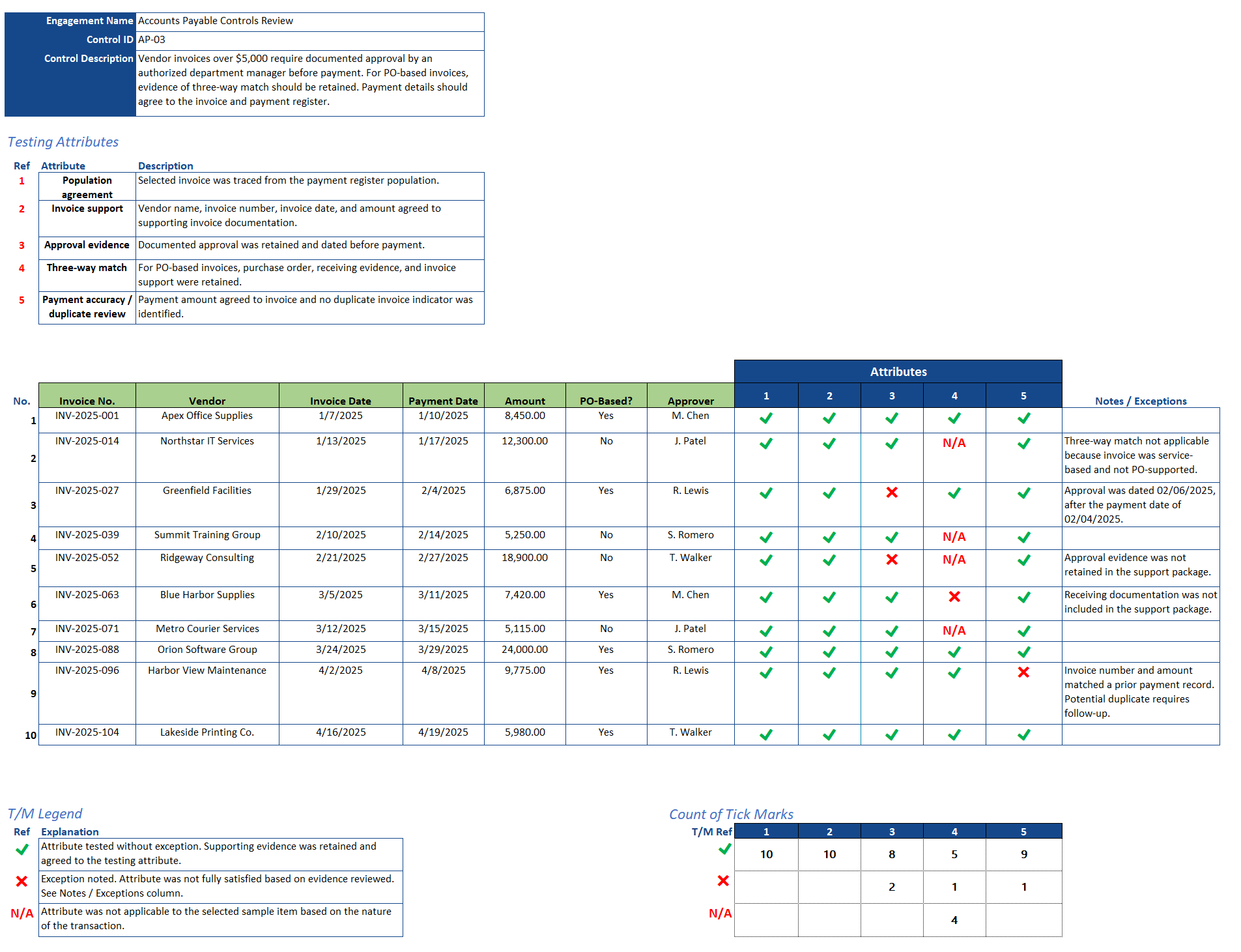
AuditTicks Pro in action: ribbon-based tickmarks, references, callouts, notes, review elements, and documentation helpers.

Ribbon layout showing tickmarks, references, callouts, templates, utilities, and review tools.
Workpaper template
Audit Workpaper Template Pack
Structured Excel audit workpaper template designed for documenting control testing, testing attributes, sample results, tickmarks, exceptions, and review notes.
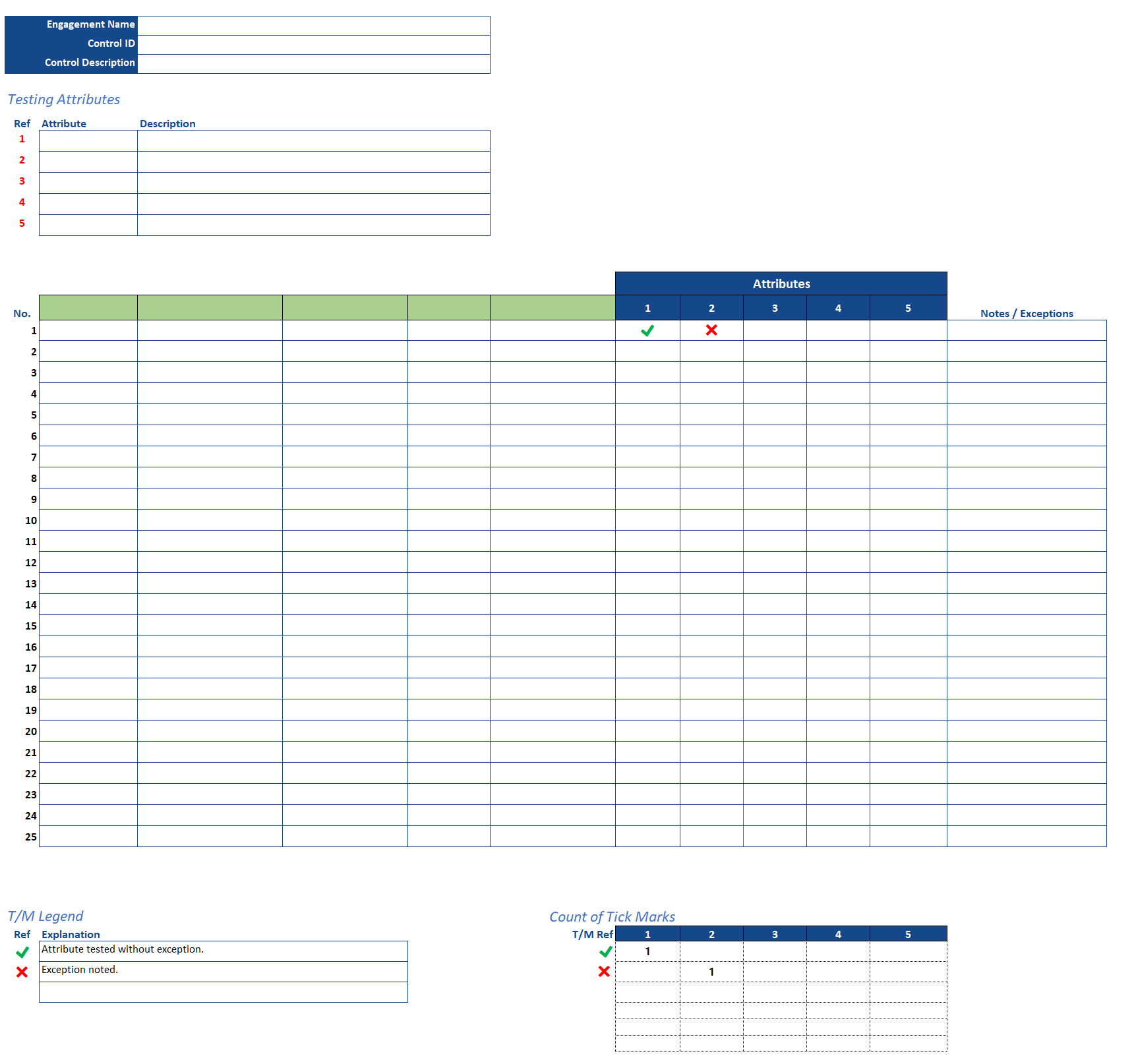
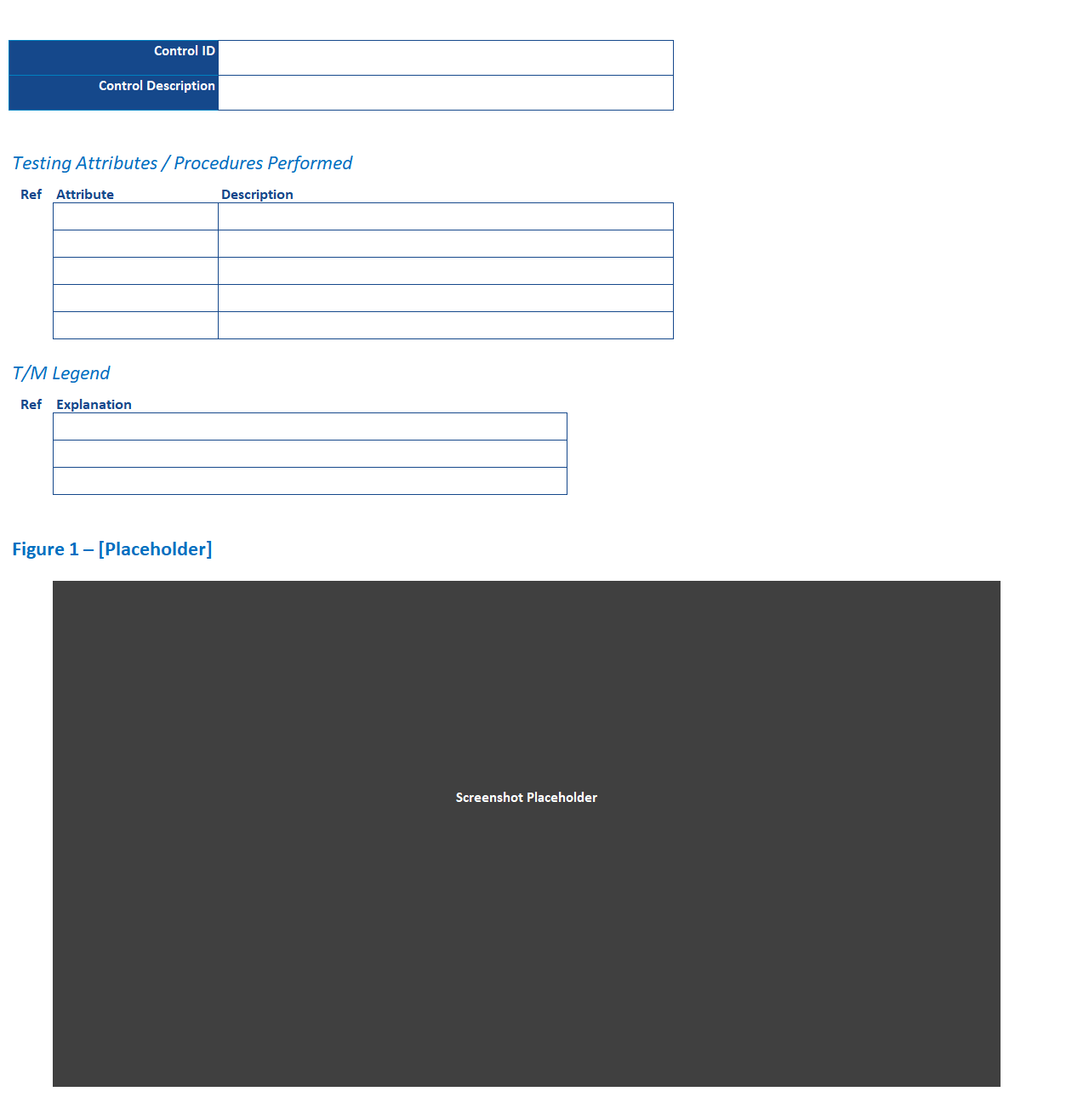
The workpaper template provides a consistent structure for documenting control testing, including test attributes, sample selections, tickmarks, exceptions, and supporting notes.
Audit workpapers can become inconsistent when testing attributes, sample documentation, tickmark legends, and exception notes are recreated manually across engagements.
Created a reusable Excel workpaper format that supports common audit testing activities and aligns with AuditTicks Pro’s tickmark, reference, and annotation workflow.
Improves workpaper consistency, supports clearer review, reduces setup time, and gives auditors a repeatable structure for documenting testing results.
Companion workflow: This template is designed to work alongside AuditTicks Pro. The template provides the documentation structure, while the add-in supports tickmarks, references, annotations, review elements, and formatting actions.
Download template View AuditTicks Pro Open completed example
Audit planning template
Risk Assessment Matrix
Configurable Excel template for scoring risks, prioritizing audit areas, and visualizing results through an automatic heatmap.
Help auditors evaluate, compare, and prioritize risks using a structured scoring model in Excel.
Risk scoring can vary significantly when criteria, weighting, and rating logic are not applied consistently.
Developed a configurable Excel template with customizable risk factors, weighted scoring, rating logic, and automatic heatmap visualization.
Supports more consistent prioritization, clearer planning documentation, and easier communication with stakeholders.
Use note: The template is provided as a demonstration file and should be reviewed and adapted before use in any formal audit environment.
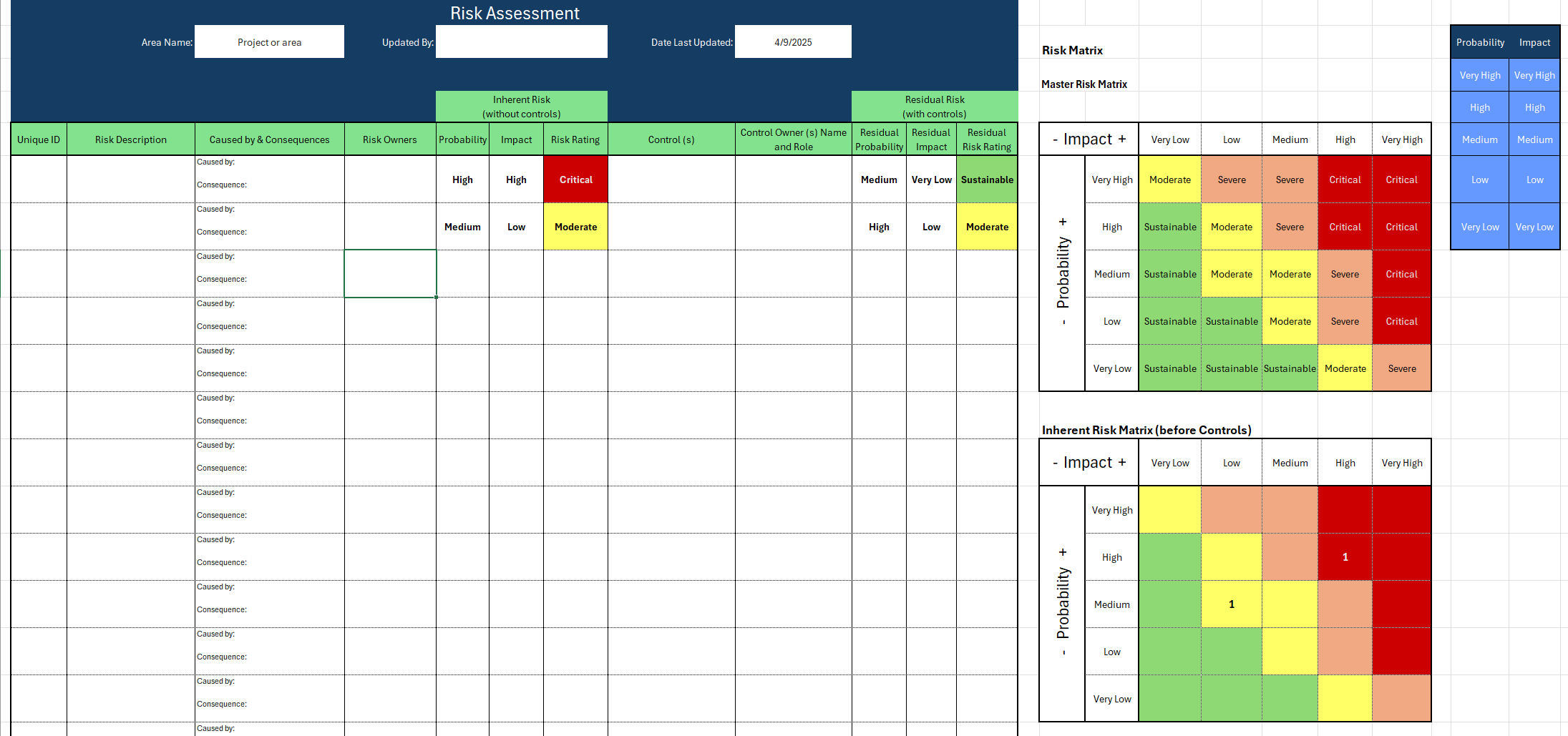
Configurable risk factors with weighted scoring and an at-a-glance risk heatmap.
Audit tools
Built to support practical audit execution, not just portfolio screenshots.
Explore the full portfolio, view audit analytics, or connect with me on LinkedIn.